

Share2Agent
Share any page with your AI agent
One click to extract any webpage as clean Markdown and send it to your AI agent, automation platform, or custom webhook. Screenshots, YouTube transcripts, Gmail threads, quick actions — zero tracking.
How it works
Click the extension
On any page — article, docs, YouTube video, Gmail thread. The extension extracts clean Markdown using Readability + Turndown.js.
Pick your agent
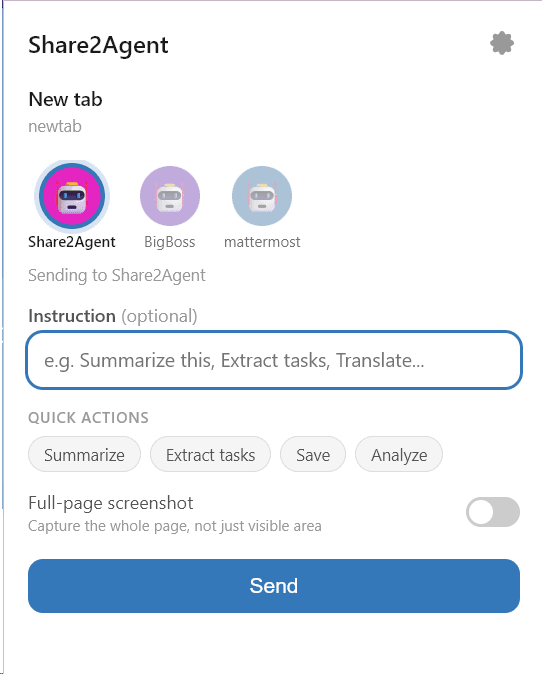
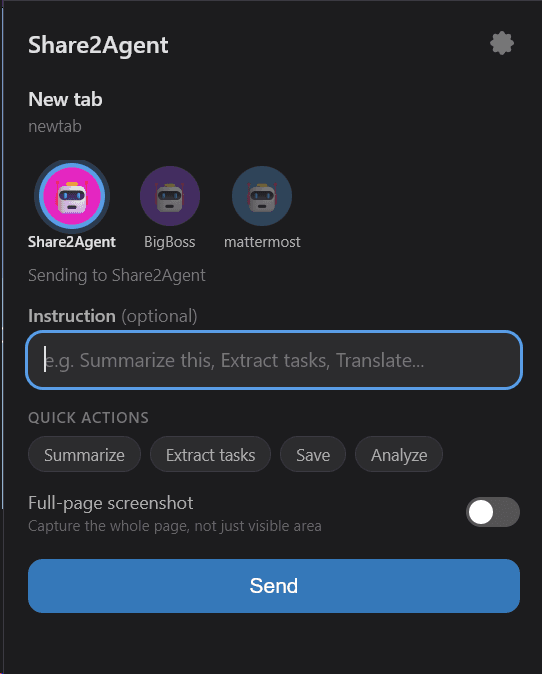
Choose from your configured agents — each with a custom name, emoji, color, and webhook URL. Switch with Alt+1/2/3.
Send
Pick a quick action or type your own instruction. Hit Send (or Ctrl+Enter). Page content + optional screenshot land at your webhook as JSON.
What you get
Markdown output
Turndown.js + GFM plugin preserves tables, headings, code blocks, and links. Clean, structured content every time.
Full-page screenshot
Optional scroll-and-stitch JPEG capture sent alongside the text. Toggle per request.
YouTube transcripts
Extracts timestamped transcripts from video pages and Shorts, plus video metadata.
Quick actions
One-click instruction chips: Summarize, Extract tasks, Save, Analyze. Or type your own.
Gmail threads
Full thread with participants, roles, dates, and message permalinks. Auto-expands collapsed messages.
Image & PDF detection
Detects images and PDFs automatically — sends them directly without unnecessary text extraction.
Multi-agent picker
Unlimited agents with names, emoji avatars, and color presets. Switch with Alt+1/2/3.
Test webhook
Verify your endpoint works before saving. One click in settings — instant feedback.
Zero tracking
No analytics, no accounts, no third parties. Data flows from your browser to your webhook. Period.
What your webhook receives
{
  "schema": "share2agent/v1",
  "url": "https://docs.example.com/api-reference",
  "title": "API Reference — Example Docs",
  "content": "# Extracted Markdown\n\nClean text with **formatting**, [links](url), and tables.",
  "comment": "Summarize the auth section",
  "timestamp": "2026-04-02T12:00:00.000Z",
  "meta": {
    "type": "page",
    "description": "Complete API reference",
    "author": "Example Team",
    "language": "en"
  },
  "screenshot": "data:image/jpeg;base64,..."
}
Max payload: 5 MB. Timeout: 15 seconds. All meta fields are strings.
Setup Guides
Pick your platform. Each guide takes 5 minutes.
Automation
Send Web Pages to n8n
Set up Share2Agent to trigger n8n workflows with extracted webpage content. Step...
Send Web Pages to Zapier
Connect the Share2Agent Chrome extension to Zapier webhooks to trigger any Zap f...
Send Web Pages to Make
Use the Share2Agent Chrome extension to trigger Make (formerly Integromat) scena...
Send Web Pages to Activepieces
Set up the Share2Agent Chrome extension with Activepieces to trigger open-source...
AI Agents
Send Web Pages to Claude Code
Use the Share2Agent Chrome extension to share articles, docs, and error pages di...
Send Web Pages to Cursor
Use the Share2Agent Chrome extension to send documentation, API references, and ...
Send Web Pages to Windsurf
Use the Share2Agent Chrome extension to send documentation, API references, and ...
Send Web Pages to GitHub Copilot
Use the Share2Agent Chrome extension to feed web content to GitHub Copilot Chat ...
Send Web Pages to Aider
Use the Share2Agent Chrome extension to send documentation, error pages, and API...
Local LLMs
Privacy
Share2Agent does not collect analytics, does not send data to third parties, does not require an account, and does not run in the background. Data flows from your browser to your webhook — nothing else. The extension is open source and you can read every line.
Full privacy policy →Permissions
activeTab — read current page URL and title when you click the extension
scripting — inject content extraction script when you click Send
storage — save your webhook URLs and agent settings locally