
Beetroot v1.6.4 — Preview Panel Redesign and Overlay You Can Actually Customize
Beetroot v1.6.4: customizable copy overlay (position, duration, animation) and three content-aware preview modes for text, code, and images.
The preview panel was one big box that showed everything the same way — a paragraph of text, a Python script, and a screenshot all got the same treatment. It worked, but it didn't feel right.
v1.6.4 gives the preview panel three modes that adapt to what you're looking at. And the "Copied" overlay that shipped in v1.6.3 — you can now customize where it shows up, how long it stays, and how it disappears.
At a glance:
- Preview redesign — three content-aware modes for text, code, and images
- Overlay customization — position, duration, and animation settings
- 5 bug fixes — ghost highlights, click-blocking overlay, filter reset, image dimensions, app names
Preview panel, three ways
The preview now detects what kind of clip you're looking at and adjusts:
Text mode — clean reading view. Adaptive height — short clips get a compact panel, long ones scroll. The header shows where it came from (human-readable app names like "Chrome" or "VS Code", not chrome.exe), a content type badge, and a relative timestamp.
Code mode — line numbers, syntax highlighting, and a word wrap toggle. The header shows the detected language. Code clips finally feel like code.
Image mode — dark background, click-to-zoom. Image dimensions appear in the header so you know what you're working with before pasting.
All three modes share a new action bar at the bottom: Copy, Transform, OCR (images only), Wrap toggle (code only), and a ⋯More menu for less common actions. Everything is one click away instead of buried in the context menu.
Make the overlay yours
The "Copied" notification from v1.6.3 was nice but opinionated — it showed up near your cursor, stayed for a fixed time, and faded down. Some people wanted it out of the way, others wanted it visible longer, and a few wanted it to feel snappier.
Now you control all three:
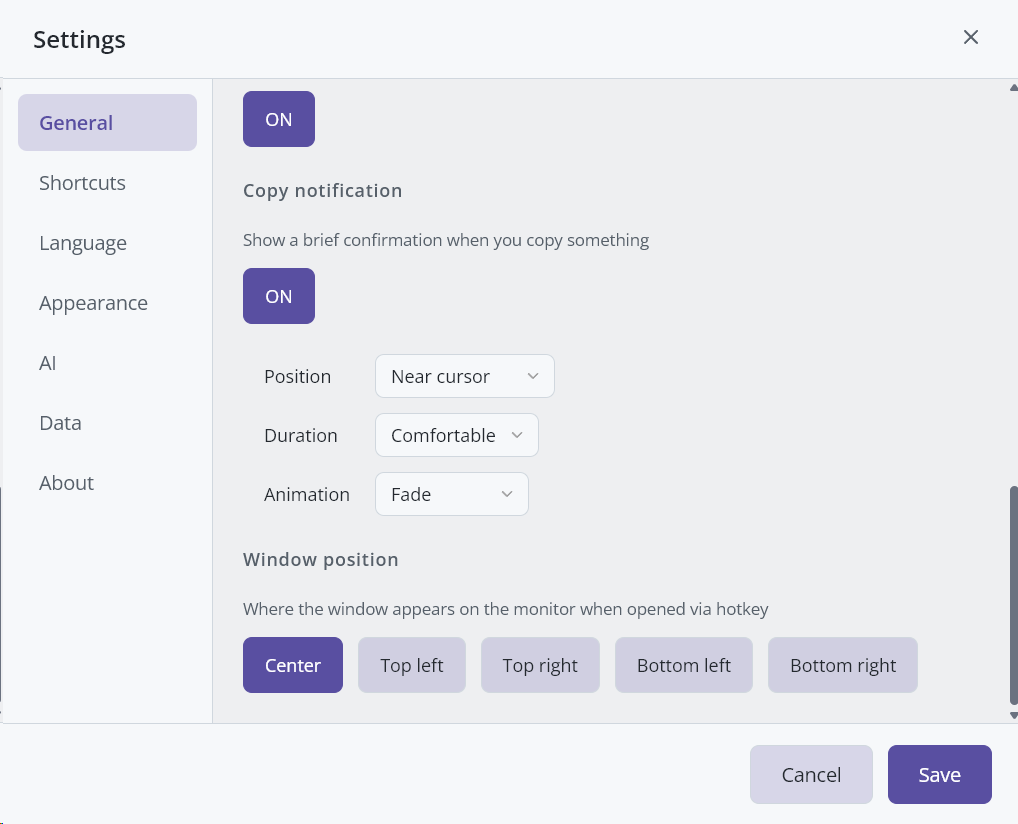
| Setting | Options |
|---|---|
| Position | Near cursor, Top center, Bottom center |
| Duration | Quick, Comfortable, Visible |
| Animation | Fade down, Fade up, Fade, Scale down, Pop, Blur |
Six animations might sound like overkill — but try "Pop" and tell me it's not satisfying.
Bug fixes
Overlay blocking clicks — the "Copied" overlay disappeared visually but the invisible hit area stayed behind, blocking whatever was underneath. Fixed with proper Win32 hiding and verification that it's actually gone.
Ghost search highlights — green highlighted characters stuck around after clearing search, especially with single-character Cyrillic queries like "ш". Clearing search now fully resets all highlights.
Filter not resetting — with "Remember selected filter" turned off, the filter still remembered your last selection in no-focus mode. Now it properly resets to "All" when disabled.
Image dimensions missing — dimensions sometimes didn't show up in the preview header. Now they reliably appear for all image clips.
Raw app names — preview showed sublimetext.exe instead of "Sublime Text". Added curated name mapping for common apps.
How to update
Beetroot will offer to update automatically. Or download v1.6.4 from GitHub.
