
Beetroot v1.6.5 — Your Clipboard Can Now Read Images
Beetroot v1.6.5: AI Vision lets your clipboard read images (OCR, describe, extract, translate). Background AI job queue. All providers in native Rust.
This is a big one. Your clipboard can now read images — right-click any screenshot, photo, or scan and ask AI to extract text, describe what it sees, pull structured data, or translate. AI transforms run in the background now, so nothing freezes while you wait.
At a glance:
- AI Vision transforms — analyze images with 5 built-in prompts + custom ones
- Background AI job queue — transforms no longer freeze the UI
- All AI providers in native Rust — faster, more reliable, no CORS issues
- Native Windows notifications — results pop up when Beetroot is hidden
- 11 bug fixes
AI Vision Transforms
Select any image in your clipboard history, right-click → AI, and pick a vision prompt. The image goes to your AI provider and the result lands in your clipboard, ready to paste.
Five built-in vision prompts:
| Prompt | What it does |
|---|---|
| Read Text | OCR from photos, screenshots, handwritten notes |
| Describe Image | Get a text description of what's in the image |
| Extract Data | Pull structured data from tables, receipts, prescriptions |
| Summarize Image | Quick summary of visual content |
| Translate Image Text | Translate text found in images |
You can also create your own vision prompts in Settings.
Works with all providers:
- Cloud: OpenAI GPT-5.4, Anthropic Claude (Haiku/Sonnet), Google Gemini 2.5, DeepSeek
- Local: Ollama (llava, bakllava, moondream), LM Studio
Even a 4B local model running on your own hardware can read handwritten prescriptions. No cloud, no API key, no data leaves your computer.
Real-world test: doctor's handwriting
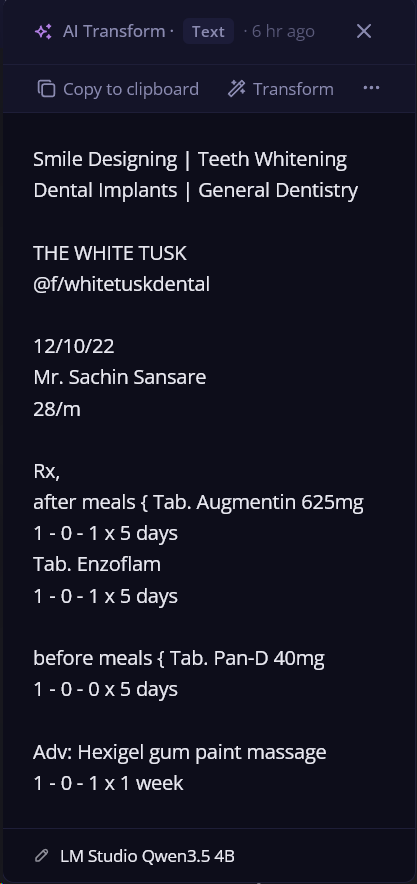
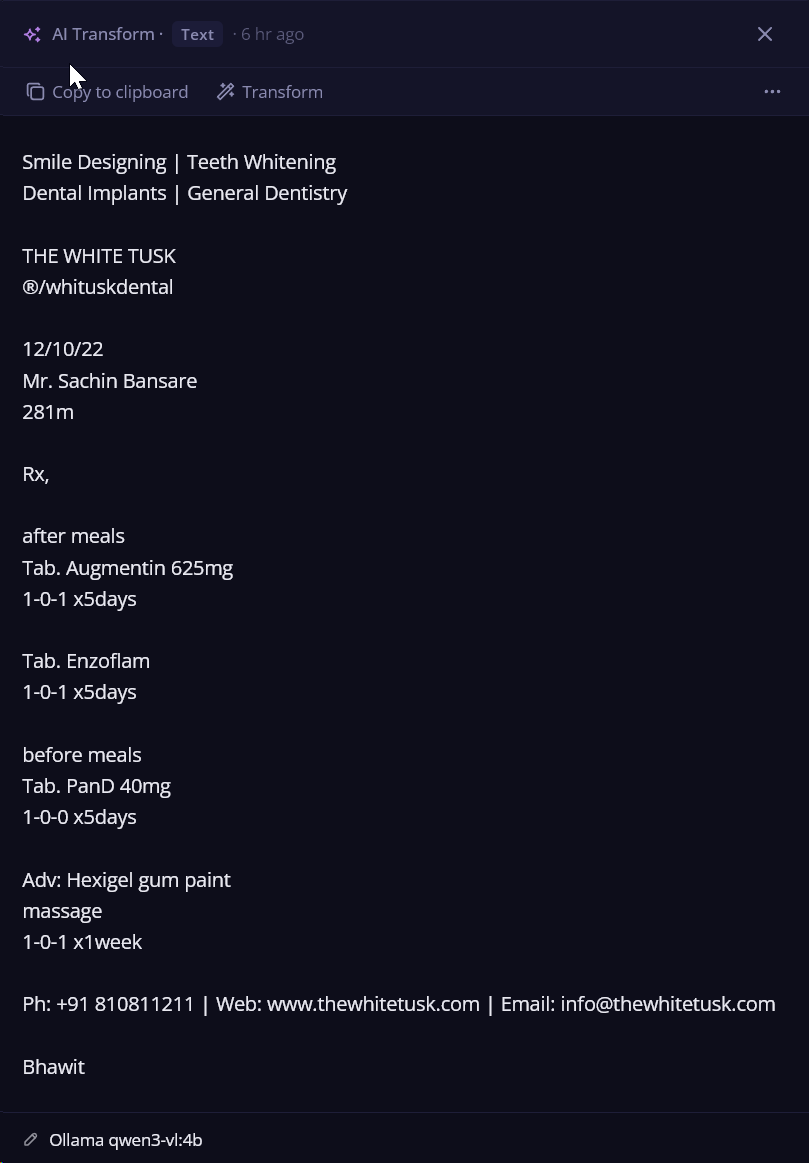
To test AI Vision, I grabbed a random handwritten medical prescription from Google Images — a dental clinic note with cursive handwriting and medical abbreviations. The kind of thing that's hard to read even for humans.
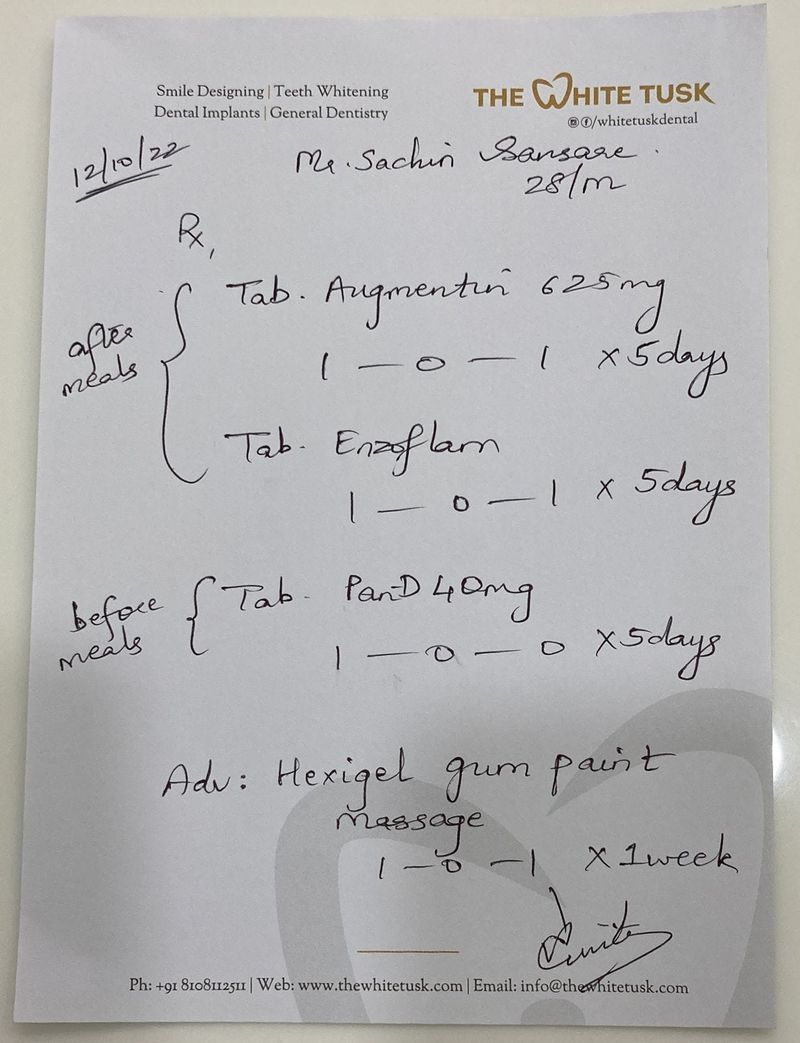
I ran it through five different models. Here's how they did:
| Model | Type | Speed | Quality |
|---|---|---|---|
| GPT 5.4 mini | Cloud | Fast | Excellent — accurate reading of cursive, good formatting |
| Gemini 2.5 Flash | Cloud | Very fast | Excellent — well-structured output, preserves layout |
| Claude Haiku 4.5 | Cloud | Fast | Excellent — clean output, accurate |
| LM Studio Qwen 3.5 4B | Local | Moderate | Very good — best local model, good formatting |
| Ollama Qwen 3 4B | Local | Moderate | Good — solid OCR, less formatting |
All five correctly read the medications (Augmentin 625mg, Enzoflam, Pan-D 40mg), dosages, and instructions — from cursive handwriting on paper.
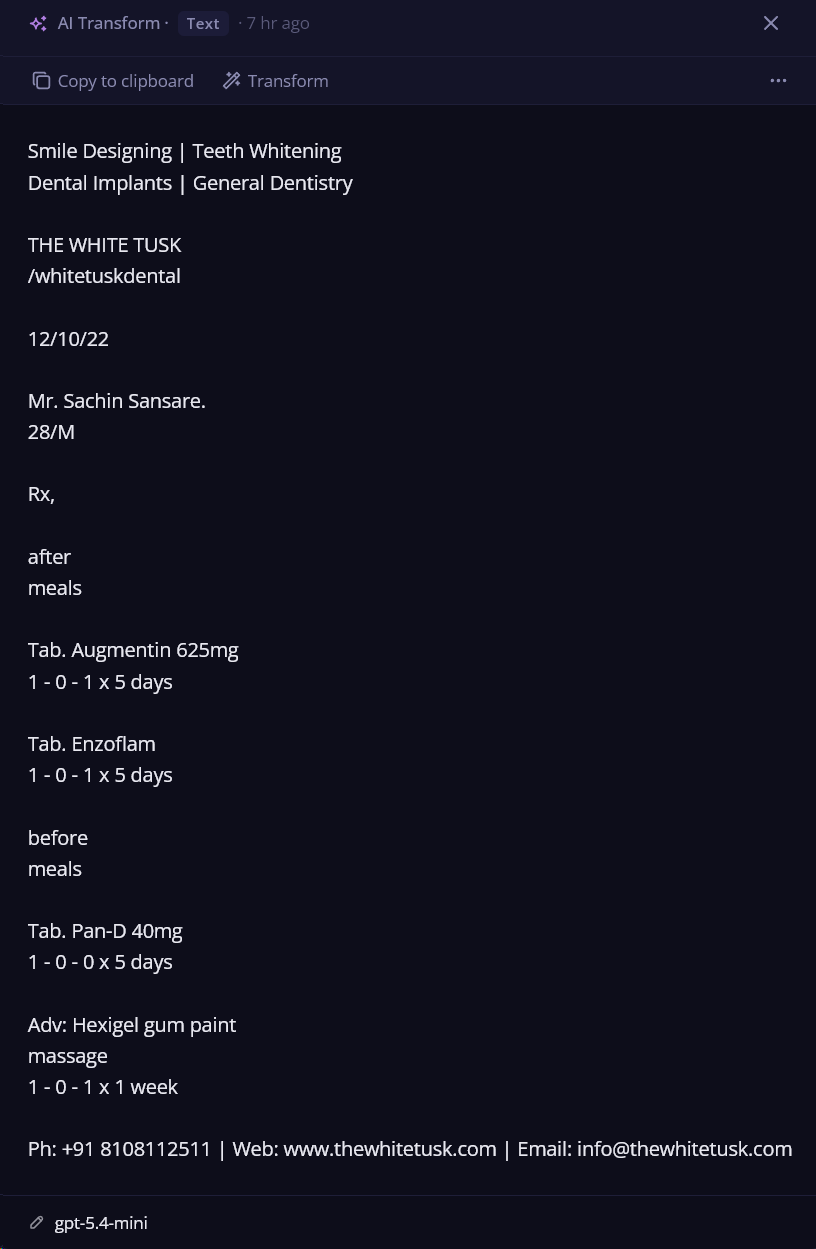
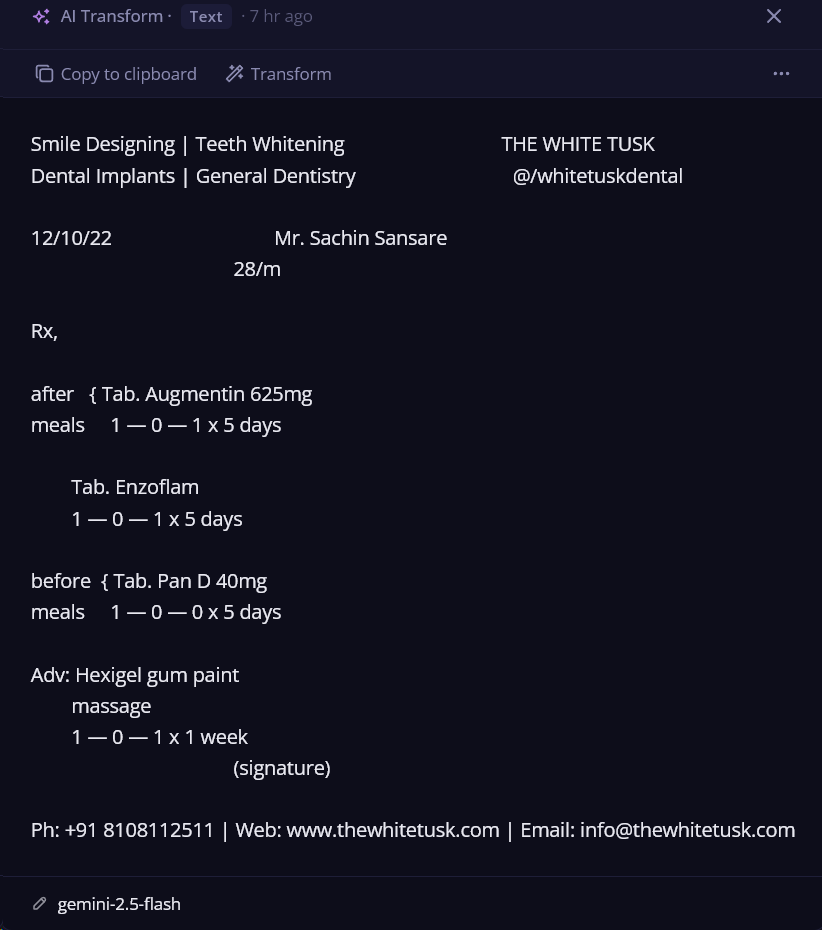
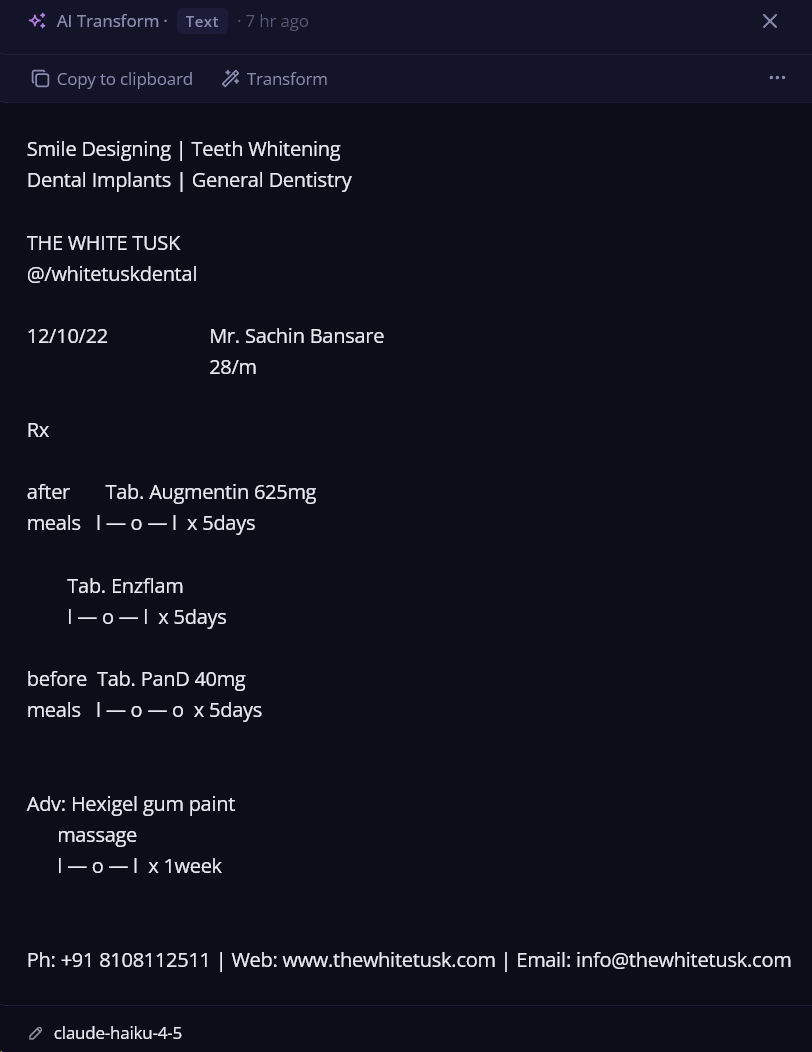
Some ideas for what you can do with this:
- Read handwritten notes, whiteboards, sticky notes
- Extract data from receipts, invoices, business cards
- OCR screenshots from foreign-language apps
- Describe charts, diagrams, technical drawings
- Translate signs, menus, documents from photos
Background AI job queue
AI transforms used to freeze the UI for 5–30 seconds while waiting for the response. Now they run in the background:
Before: Click AI prompt → UI freezes → result appears
After: Click AI prompt → menu closes instantly → keep working → notification pops up with result
Queue multiple transforms — they run one by one. If Beetroot's window is hidden, you get a native Windows notification. Click it to bring Beetroot to the front.
All AI providers in native Rust
All cloud API calls (OpenAI, Anthropic, Gemini, DeepSeek, Ollama) moved from browser JavaScript to native Rust code:
- No more CORS errors
- Works when the window is hidden (needed for background transforms)
- More reliable with consistent error handling
- Faster
Bug fixes
- Fixed AI menu sometimes getting stuck after an error
- Fixed Settings not rolling back font changes on Cancel
- Fixed error toast being unreadable on dark themes
- Fixed legacy model names not migrating correctly
- 6 fixes for edge cases in vision transforms
How to update
Beetroot will offer to update automatically. Or download v1.6.5 from GitHub.
