
How I Added 5 AI Providers to a Tauri Desktop App
Multi-provider AI in Tauri: OpenAI, Claude, Gemini, DeepSeek, Ollama. Three integration patterns and a Rust proxy that solves localhost CORS.
Contents
When I decided to rip out the hardcoded OpenAI integration from Beetroot and replace it with a proper multi-provider system, I figured it would take a weekend. Five providers, one shared interface, done.
It took a week. Here’s what I learned.
TL;DR:
- 3 out of 5 providers reused one shared OpenAI-compatible function (~50 lines)
- Anthropic Claude needed a fully separate integration (different headers, request format, response shape)
- Local models (Ollama, LM Studio) required a Rust IPC proxy — not because of the API, but because of HTTPS → HTTP mixed-content blocking in WebView
- The hidden cost wasn’t AI code — it was 260 lines of translations per provider and UI plumbing
The stack makes it interesting
Beetroot is built on Tauri v2 (Rust backend) + React 19 (WebView frontend) + Vite. That last part is key: the frontend runs inside a WebView, which is essentially a browser. Every AI API call happens via fetch() from a browser context.
This means you inherit all the fun browser restrictions: CSP, CORS, mixed-content blocking. For cloud APIs over HTTPS, this is mostly fine. For a local Ollama instance on http://localhost:11434? Not so much. But we’ll get to that.
Three integration patterns, not five
Five providers sounds like five integrations. In practice, it’s three patterns:
| Pattern | Providers | Complexity |
|---|---|---|
| OpenAI-compatible | OpenAI, Gemini, DeepSeek | Low (~20 lines each) |
| Anthropic native | Claude | Medium (~60 lines) |
| Rust IPC proxy | Local LLM (Ollama, LM Studio) | High (~130 lines Rust + 50 TS) |
The reason three out of five providers share a pattern is simple: OpenAI’s Chat Completions format has become the de-facto standard. Google provides an OpenAI compatibility layer for Gemini at /v1beta/. DeepSeek speaks it natively. So one shared function handles all three.
Pattern 1: the shared function
The core of the multi-provider system is callOpenAICompatible() — 49 lines that handle timeouts, error parsing, and response extraction for any OpenAI-compatible API:
async function callOpenAICompatible(
  url: string,
  headers: Record<string, string>,
  body: object,
  providerName: string,
): Promise<OpenAIResult> {
  const controller = new AbortController();
  const timeoutId = setTimeout(() => controller.abort(), 30_000);

  const response = await fetch(url, {
    method: "POST",
    headers: { "Content-Type": "application/json", ...headers },
    body: JSON.stringify(body),
    signal: controller.signal,
  });

  if (!response.ok) {
    const errorBody = await response.text().catch(() => "");
    let errorMsg = `API error ${response.status}`;
    try {
      const parsed = JSON.parse(errorBody);
      if (parsed?.error?.message) errorMsg = parsed.error.message;
    } catch {}
    return { error: errorMsg };
  }

  const data = await response.json();
  const msg0 = data?.choices?.[0]?.message;
  const content = msg0?.content || msg0?.reasoning_content;

  if (typeof content !== "string" || content.trim().length === 0) {
    return { error: `Empty response from ${providerName}` };
  }
  return { text: stripThinkTags(content.trim()) };
}
Each provider then becomes a thin wrapper. Here’s the entire Gemini integration:
return callOpenAICompatible(
  "https://generativelanguage.googleapis.com/v1beta/openai/chat/completions",
  { Authorization: `Bearer ${config.geminiKey}` },
  {
    model: config.geminiModel,
    messages: [
      { role: "system", content: SYSTEM_PROMPT },
      { role: "user", content: `Instruction: ${prompt}\n\n${inputText}` },
    ],
    max_tokens: 4096,
  },
  "Gemini",
);
That’s it. Fourteen lines. The URL and auth header are the only things that change between OpenAI, Gemini, and DeepSeek.
The quirks per provider
“OpenAI-compatible” doesn’t mean “identical.” Each provider has at least one thing that will catch you off guard.
OpenAI (GPT-5 series) changed three parameter names compared to GPT-4:
{
  model: "gpt-5-nano",
  messages: [
    { role: "developer", content: SYSTEM_PROMPT },  // not "system"
    { role: "user", content: inputText },
  ],
  max_completion_tokens: 4096,  // not max_tokens
  reasoning_effort: "low",      // not temperature
}
If you use the old parameter names, you get a confusing 400 error about invalid fields — no deprecation warning, no helpful message.
DeepSeek R1 returns reasoning traces wrapped in <think>...</think> tags before the actual answer. If you don’t strip them, your “grammar fix” comes back with a two-paragraph internal monologue about English syntax rules. The fix is small but easy to miss:
function stripThinkTags(text: string): string {
  const trimmed = text.trim();
  if (!trimmed.startsWith("<think>")) return trimmed;
  const end = trimmed.indexOf("</think>");
  if (end !== -1) return trimmed.slice(end + 8).trim();
  return trimmed.slice(7).trim();
}
This runs on every provider’s output. For OpenAI and Gemini it’s a no-op. For DeepSeek R1, it saves users from reading the AI’s inner thoughts about their typos.
Gemini’s compatibility layer deserves a mention. Google’s primary Gemini API uses a different format (generateContent with a parts array). But they also provide an OpenAI compatibility layer at generativelanguage.. Same models, same free tier, standard Authorization: Bearer header. It just works — and it saved me from writing a fourth integration pattern.
Pattern 2: Anthropic plays by its own rules
Claude’s Messages API is not OpenAI-compatible. It has its own request format, its own headers, and its own response shape. So it gets its own 62-line function.
Here’s the fetch call:
const response = await fetch("https://api.anthropic.com/v1/messages", {
  method: "POST",
  headers: {
    "Content-Type": "application/json",
    "x-api-key": config.anthropicKey,
    "anthropic-version": "2023-06-01",
    "anthropic-dangerous-direct-browser-access": "true",
  },
  body: JSON.stringify({
    model: ANTHROPIC_MODEL_IDS[config.anthropicModel] ?? config.anthropicModel,
    system: SYSTEM_PROMPT,
    messages: [{ role: "user", content: inputText }],
    max_tokens: 4096,
  }),
});
Four differences from OpenAI in one block:
- Auth header:
x-api-keyinstead ofAuthorization: Bearer - CORS header:
anthropic-dangerous-direct-browser-access: true— yes, that’s the actual header name. Anthropic requires it for browser-based API calls. The name is… descriptive. - System prompt: a top-level
systemfield, not a message withrole: "system". If you turn on prompt caching, keep it byte-stable: anything per-request in that field breaks the cache. - Response shape:
data.content[0].textinstead ofdata.choices[0]. message. content
There’s also a model ID mapping because Anthropic uses dated snapshot IDs internally:
const ANTHROPIC_MODEL_IDS: Record<string, string> = {
  "claude-haiku-4-5": "claude-haiku-4-5-20251001",
  "claude-sonnet-4-6": "claude-sonnet-4-6-20250514",
};
Users see “Claude Haiku 4.5” in the dropdown. The dated ID goes to the API. When Anthropic releases a new snapshot, I update one mapping object and nothing else changes.
Is the code duplication worth it? The alternative was an adapter layer that converts Anthropic’s format to OpenAI’s internally. I tried that first — it was 80 lines instead of 62 and harder to debug when something went wrong. Sometimes the straightforward approach wins.
Pattern 3: local models and the mixed-content trap
This is where I spent most of the week.
The problem is deceptively simple: Tauri’s WebView runs on an HTTPS origin (https://tauri.localhost). Ollama runs on http://localhost:11434. A browser will block this fetch because it’s mixed content — an HTTPS page making an HTTP request.
No amount of CORS headers fixes this. It’s a browser security policy. The request never leaves the WebView.
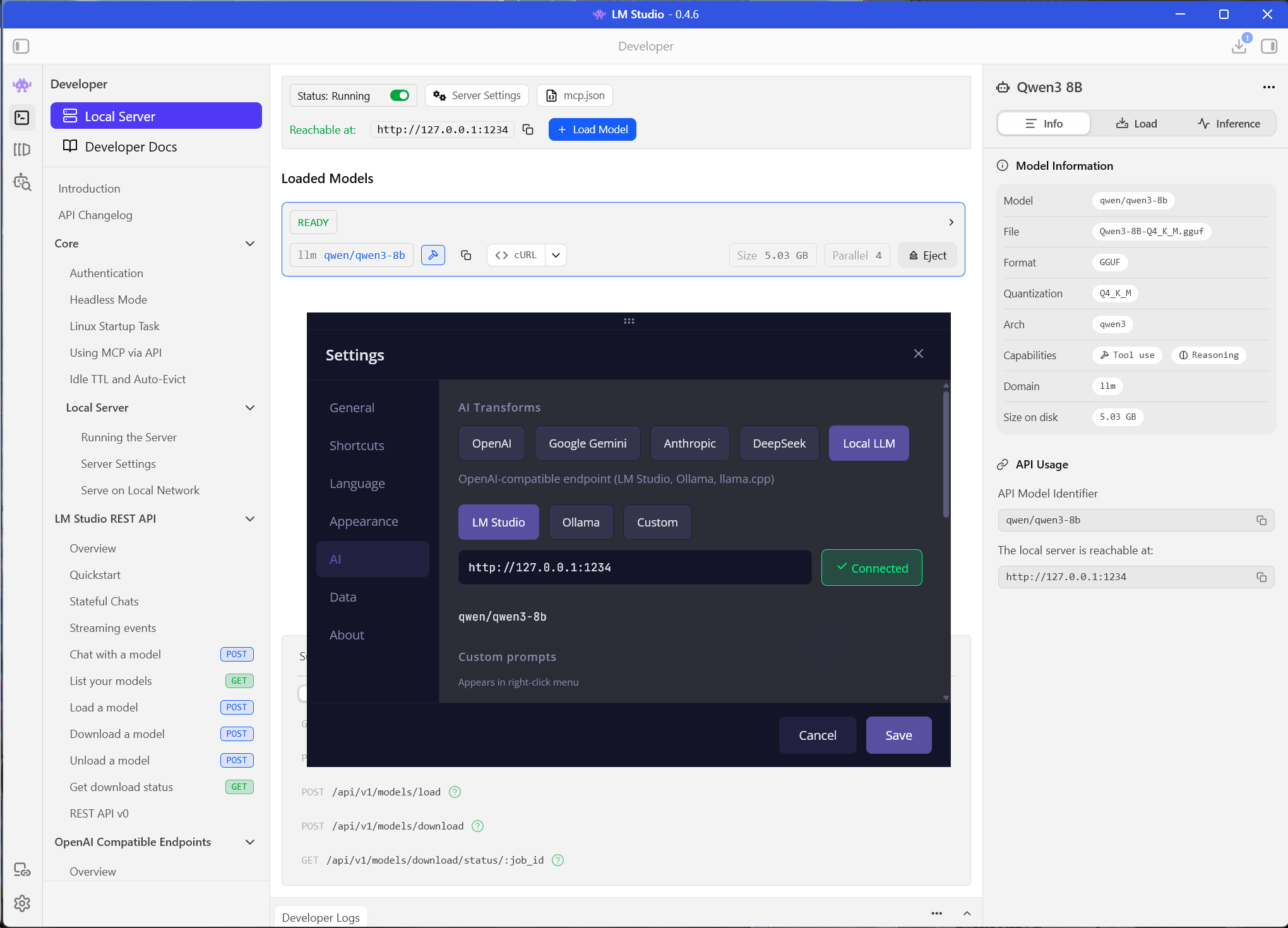
The solution: route local AI calls through Tauri’s Rust backend via IPC commands. The frontend calls invoke("local_ai_chat"), Rust makes the HTTP request using ureq, and returns the result.
Frontend →
invoke("local_ai_chat")→ Rust →http://localhost:11434→ Rust → Frontend
Here’s the Rust command (simplified):
#[tauri::command]
pub async fn local_ai_chat(request: LocalAIRequest) -> LocalAIResponse {
    if request.user_message.len() > 100_000 {
        return LocalAIResponse {
            ok: false, text: String::new(),
            error: "Input text too long (max 100K characters)".into(),
        };
    }

    let ep = request.endpoint.trim().trim_end_matches('/').to_string();
    if let Err(e) = validate_loopback(&ep) {
        return LocalAIResponse {
            ok: false, text: String::new(),
            error: e.to_string(),
        };
    }

    // Blocking HTTP via ureq — runs on a separate thread
    tauri::async_runtime::spawn_blocking(move || {
        let body = serde_json::json!({
            "model": model,
            "messages": [
                { "role": "system", "content": request.system_prompt },
                { "role": "user", "content": request.user_message },
            ],
        });

        match ureq::post(&url)
            .set("Content-Type", "application/json")
            .timeout(Duration::from_secs(120))
            .send_json(&body)
        {
            Ok(resp) => { /* parse response */ }
            Err(e) => LocalAIResponse {
                ok: false, text: String::new(),
                error: e.to_string(),
            },
        }
    }).await.unwrap_or_else(|e| LocalAIResponse {
        ok: false, text: String::new(),
        error: format!("Task failed: {e}"),
    })
}
Three extra Rust commands support the UI: test_local_endpoint (checks connectivity), list_local_models (fetches installed Ollama models for the dropdown), and the validate_loopback function that prevents SSRF.
The SSRF fix nobody asked for
Since the Rust proxy makes HTTP requests on behalf of the frontend, the endpoint URL needs validation. Without it, someone could configure the “local AI” endpoint to point at http://169.254.169.254 (cloud metadata endpoint) or any internal service.
The fix is validate_loopback() — it only allows localhost, 127.0.0.1, and [::1]:
fn validate_loopback(endpoint: &str) -> Result<(), AppError> {
    let lower = endpoint.to_lowercase();
    let host_part = if let Some(rest) = lower.strip_prefix("https://") {
        rest
    } else if let Some(rest) = lower.strip_prefix("http://") {
        rest
    } else {
        return Err(AppError::Validation(
            "Only http/https endpoints allowed".into(),
        ));
    };

    let loopback_hosts = ["localhost", "127.0.0.1", "[::1]"];
    let is_loopback = loopback_hosts.iter().any(|host| {
        if let Some(rest) = host_part.strip_prefix(host) {
            rest.is_empty() || rest.starts_with(':') || rest.starts_with('/')
        } else {
            false
        }
    });

    if is_loopback { Ok(()) }
    else { Err(AppError::Validation("Only loopback endpoints allowed".into())) }
}
Cloud providers don’t need this — their endpoints are hardcoded HTTPS URLs. Only the local proxy accepts user-configured URLs, and only loopback addresses pass validation.
The prompt system: one for all
All five providers share the same prompt library: 10 built-in prompts (grammar fix, translate, summarize, etc.) translated into 26 languages, plus up to 20 custom prompts. Up to 5 can be pinned as “quick access” — these show up in the right-click context menu.
This was a deliberate design choice. Switching from OpenAI to Gemini or from cloud to local shouldn’t change your workflow. Same prompts, same menu, same keyboard shortcuts. The only thing that changes is where the request goes.
The AIProvider type drives the entire system:
type AIProvider = "openai" | "gemini" | "anthropic" | "deepseek" | "local";Settings, UI tabs, transform routing — everything branches on this single union. Adding a sixth provider means adding one more string to this type, one transform function, and one settings tab.
What it actually costs to add a provider
After building all five, the pattern is clear:
| What to change | OpenAI-compatible | Custom API |
|---|---|---|
| Transform function | ~20 lines | ~60 lines |
| Settings types + defaults | ~15 lines | ~15 lines |
| Settings UI tab | ~40 lines | ~40 lines |
| State forwarding | ~5 lines | ~5 lines |
| Translations (26 languages) | ~260 lines | ~260 lines |
| Total | ~340 lines | ~380 lines |
The translations are the bulk of it. The actual integration code for an OpenAI-compatible provider is about 80 lines. For a completely custom API format like Anthropic’s, about 120.
The Rust proxy is a one-time cost — it works for any local model that speaks the OpenAI protocol. Ollama, LM Studio, llama.cpp, vLLM — they all go through the same local_ai_chat command.
Key takeaways
OpenAI-compatible is the right default. Three out of five providers use it. Even Gemini ships a compatibility endpoint. If you’re building an AI feature, start with OpenAI’s format and you’ll cover most providers for free.
Anthropic’s divergence has a cost. The separate implementation isn’t complex — 62 lines — but it’s 62 lines that exist purely because one vendor chose a different API shape. The anthropic-dangerous-direct-browser-access header is a hint that browser-based access wasn’t their primary use case.
Local models are the hardest for the wrong reason. The API is the easy part (it’s OpenAI-compatible). The hard part is the browser security model. If your app runs in a WebView, any HTTP endpoint is unreachable without a native proxy layer. Plan for this upfront.
BYOK (Bring Your Own Key) in desktop apps is simpler than in web apps. No backend server, no key management service, no proxy to avoid exposing keys in the browser. The API key lives in the user’s local settings file and requests go directly from the app to the provider. The tradeoff is that each user needs their own API key — but for a free tool, that’s the right tradeoff.
The hard part of multi-provider AI wasn’t model routing. It was everything around it: browser security constraints, UX consistency across five different providers, safe local access, and 260 lines of translations for every new tab in Settings.
01 / Discussion
No comment section here — all discussions happen on X.
02 / More articles
Beetroot v1.6.6 — The Office Fix
Excel and Word cells were captured as screenshots instead of values. Microsoft Store autostart was silently broken. Image thumbnails ate gigabytes of RAM. v1.6.6 fixes all three, plus a stack of security and reliability work after the big 1.6.5 AI Vision release.
Beetroot v1.6.5 — Your Clipboard Can Now Read Images
Beetroot v1.6.5: AI Vision lets your clipboard read images (OCR, describe, extract, translate). Background AI job queue. All providers in native Rust.
Beetroot v1.6.4 — Preview Panel Redesign and Overlay You Can Actually Customize
Beetroot v1.6.4: customizable copy overlay (position, duration, animation) and three content-aware preview modes for text, code, and images.