
Beetroot v1.5.0 — Five AI Providers, Smarter App Detection
Beetroot now supports OpenAI, Gemini, Claude, DeepSeek, and local models. Plus AI sparkles, Ollama presets, and smarter source app tracking.
Contents
The first version of Beetroot only talked to OpenAI. That bugged me — I built this thing to be my clipboard manager, and being locked to one AI provider felt wrong. Not everyone wants to send their clipboard to OpenAI, not everyone wants to pay per token, and some people don’t want cloud AI at all.
So I ripped out the hardcoded OpenAI integration and replaced it with a proper provider system. The result: five AI providers, full local model support, and a settings page that actually makes sense.
At a glance:
- Biggest change: 5 AI providers instead of OpenAI-only — including a free tier
- For privacy-first users: fully local AI via Ollama, LM Studio, or any OpenAI-compatible endpoint
- New visual cue: sparkle icon marks AI-transformed clips, preview shows the prompt and model used
- Better app tracking: Java, Python, and Electron apps now show real names and icons
- Security fix: local AI endpoint now validates URLs to prevent SSRF
- Breaking changes: none — your prompts, settings, and history carry over
Who should update now: anyone who uses AI transforms daily, wants a free provider (Gemini), needs fully local processing, or runs Java/Electron apps like IntelliJ.
Why rip out a working AI layer?
The OpenAI integration in v1.4 worked fine. But it created three problems I kept running into:
- Cost barrier. Every AI transform — even a quick grammar fix — cost tokens. Some users copied dozens of clips a day. That adds up.
- Privacy concern. Clipboard data can contain anything: passwords, code snippets, personal messages. Sending all of it to one cloud provider wasn’t something everyone was comfortable with.
- Single point of failure. OpenAI goes down, your AI transforms stop. No fallback, no alternative.
The fix wasn’t “add more providers.” It was redesigning the AI layer so providers are interchangeable. Every provider now shares the same prompts library, the same right-click transform menu, the same settings pattern. Switching providers changes nothing about how you use Beetroot — it only changes where the AI request goes.
Five AI providers to choose from
Every provider uses Bring Your Own Key — paste your API key, hit Test, pick a model, done.
| Provider | Models | Pricing |
|---|---|---|
| OpenAI | gpt-5-nano, gpt-5-mini | Pay per use |
| Google Gemini | gemini-2.5-flash-lite, gemini-2.5-flash | Free tier available |
| Anthropic Claude | claude-haiku-4-5, claude-sonnet-4-6 | Pay per use |
| DeepSeek | deepseek-chat V3, deepseek-reasoner R1 | Very cheap |
| Local LLM | Any model via Ollama / LM Studio | Free, runs on your machine |
The Gemini free tier is the big one. Before v1.5.0, using AI transforms meant paying per token. Now you can use grammar fixes, translations, and summaries without paying a cent. Just grab a free key from AI Studio, paste it in, and you’re set. DeepSeek is another budget option if you need something more capable than the free tier but don’t want OpenAI pricing.
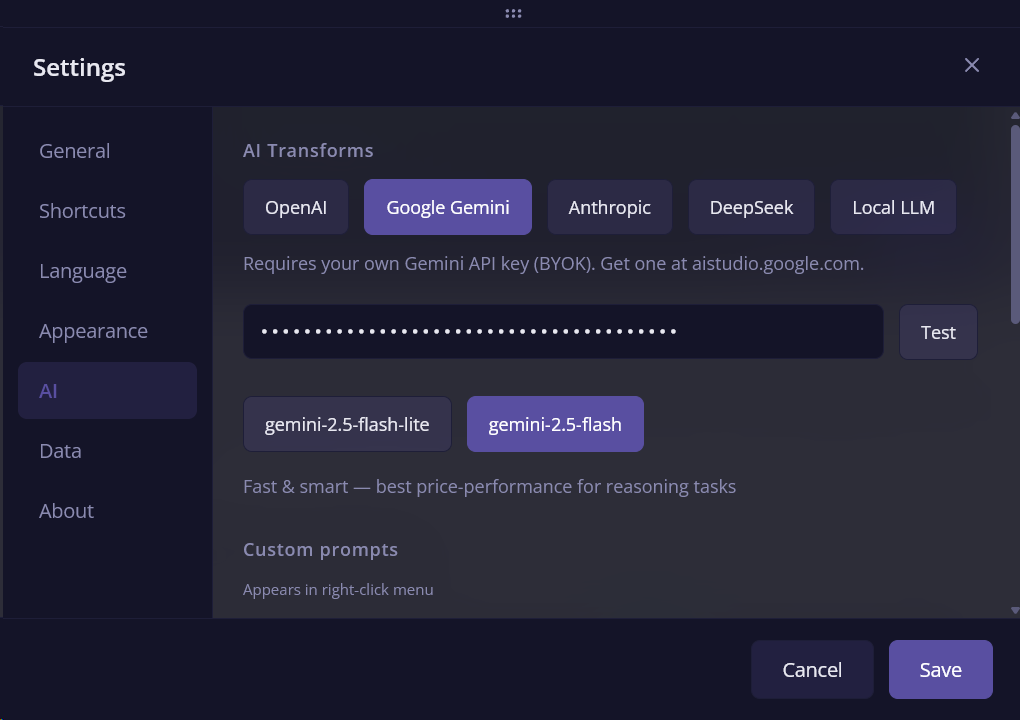
Switching providers takes about ten seconds. Open Settings, pick a tab, paste your key. No reinstall, no restart. All provider names and descriptions are translated in all 26 supported languages.
Local models: fully offline AI transforms
If you have Ollama running on your machine, Beetroot detects it automatically. The settings page has dedicated presets for LM Studio, Ollama, and Custom endpoints — pick one and the URL fills in. Ollama goes a step further: it auto-fetches your installed models when you open Settings, so you just pick from a list instead of typing model names.
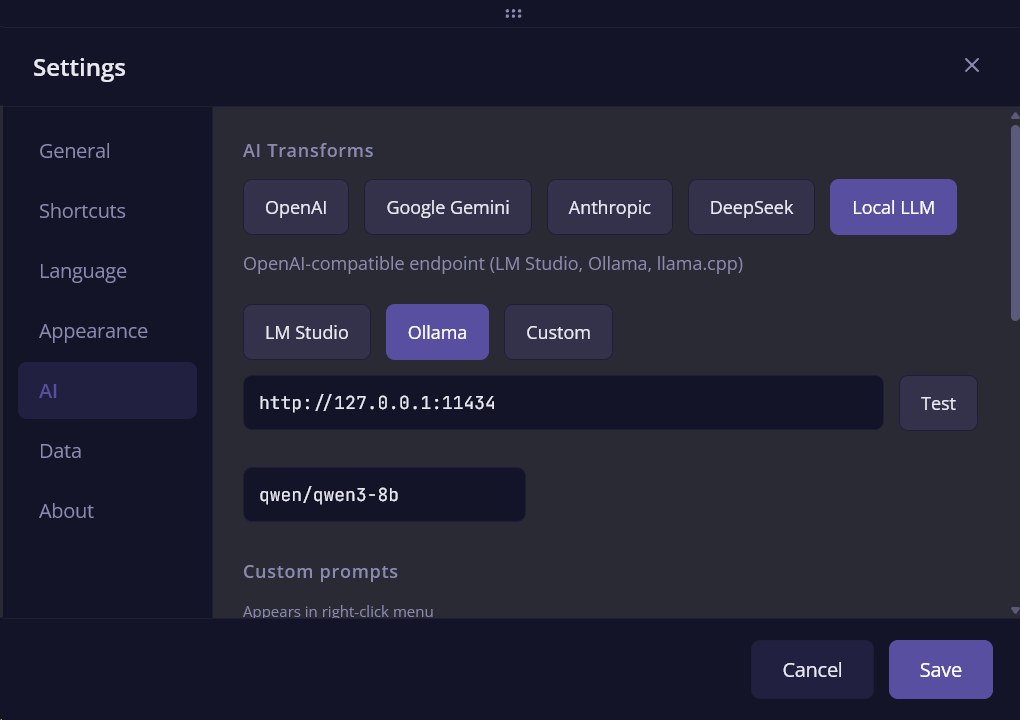
I’ve been running this with qwen3-8b locally and it handles grammar fixes and translations surprisingly well. Not as fast as a cloud API, but your data never leaves your computer — and that matters if you’re copying sensitive things all day.
Any OpenAI-compatible endpoint works too. If you’re running llama.cpp, vLLM, or anything else that speaks the OpenAI protocol, just point Beetroot at it.
AI sparkles — see what’s been transformed
Before this update, if you transformed a clip with AI, there was no way to tell it apart from the original at a glance. The transformed version just sat in your history looking like any other clip.
Now, AI-generated entries show a sparkle icon — both in the main clipboard list and in the Apps filter sidebar. You can scan through hundreds of clips and immediately spot which ones were AI-processed.
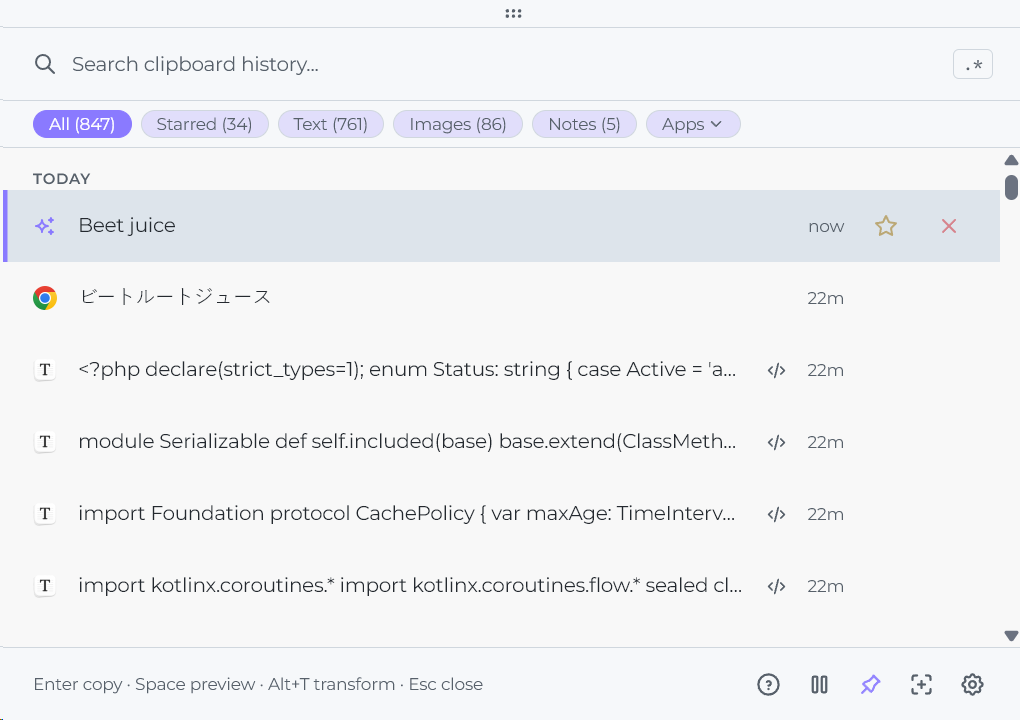
There’s more: pressing Space to preview an AI-transformed clip now shows the prompt name and model that were used. Something like “Any to English · gpt-5-nano” right in the preview. So you know exactly what happened to that clip and which AI produced it.
Smarter source app detection
Beetroot has always tracked which application a clip came from. But the detection was unreliable for certain apps — and the pattern was consistent:
| Before v1.5.0 | After v1.5.0 |
|---|---|
java.exe | IntelliJ IDEA |
python.exe | Jupyter Notebook |
electron.exe | Obsidian |
| Last active window | Beetroot (when copying from preview) |
Java apps like IntelliJ and Screaming Frog showed generic process names because Windows clipboard API reports the process, not the window. Python apps were invisible for the same reason. Electron apps were hit-or-miss depending on how they registered their window class.
I rewrote the app name resolution to look up the actual window title and icon instead of relying on the process name. Now Java apps, Python apps, and Electron apps all show their real window icon and proper name.
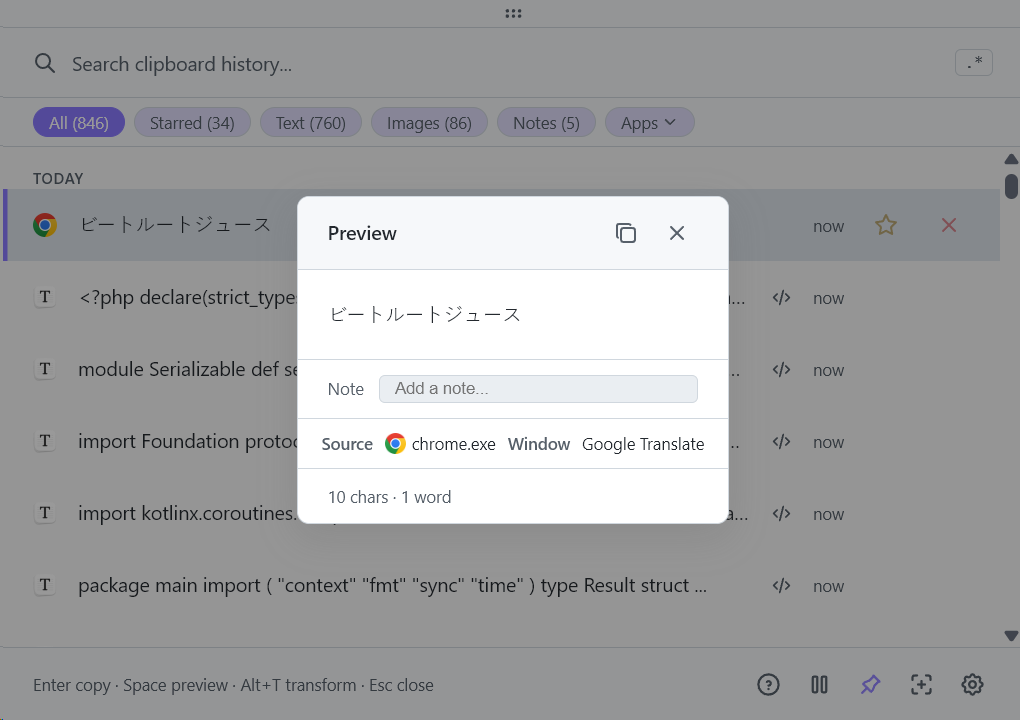
One more fix: copying from Beetroot’s own preview panel now correctly shows Beetroot as the source app, instead of the last active window. Window titles and notes are now shown as subtitles in the clipboard list too, so you get more context without opening the preview.
Stability and UX fixes
Window staying open after AI transform. If you had Beetroot pinned (always on top), it would close after transforming a clip. Now it copies the result and stays put.
API key test hanging. The Test button would spin forever if the API was unreachable. Now it times out after a few seconds and tells you what went wrong — wrong key, network error, or provider down.
Security: endpoint validation
The local AI endpoint field in Settings accepted any URL, including internal network addresses. If someone had access to your Beetroot config, they could point the endpoint at http://169.254.169.254 or any internal service and use AI transforms as a proxy to hit internal APIs.
This is a classic SSRF (Server-Side Request Forgery) vector. In v1.5.0, the endpoint field now validates URLs against a blocklist of private and reserved IP ranges. Only routable addresses and localhost (for local models) are accepted.
Who was affected: only users who configured a custom Local LLM endpoint. Cloud providers (OpenAI, Gemini, Claude, DeepSeek) were never affected — their endpoints are hardcoded. No user action is needed after updating.
What didn’t change
A few things people asked about:
- Your prompts library carries over. All custom prompts, model preferences, and AI settings stay exactly as they were.
- Right-click transform menu is the same. Same shortcuts, same flow — the provider just runs behind the scenes.
- Cloud is still optional. If you don’t configure any AI provider, Beetroot works exactly like before — clipboard manager without AI.
- Data stays local. The SQLite database, your clips, your history — nothing moved. AI transforms only send the selected text when you choose to transform it.
How to update
Beetroot will offer to update automatically next time you open it. Or download v1.5.0 manually.
This is the release that makes Beetroot’s AI layer flexible instead of locked to one provider. Update if you want free AI with Gemini, fully offline transforms with local models, or better source app tracking.
01 / Discussion
No comment section here — all discussions happen on X.
 Max Nardit@mnardit
02 / More articles
Beetroot v1.6.6 — The Office Fix
Excel and Word cells were captured as screenshots instead of values. Microsoft Store autostart was silently broken. Image thumbnails ate gigabytes of RAM. v1.6.6 fixes all three, plus a stack of security and reliability work after the big 1.6.5 AI Vision release.
Beetroot v1.6.5 — Your Clipboard Can Now Read Images
Beetroot v1.6.5: AI Vision lets your clipboard read images (OCR, describe, extract, translate). Background AI job queue. All providers in native Rust.
Beetroot v1.6.4 — Preview Panel Redesign and Overlay You Can Actually Customize
Beetroot v1.6.4: customizable copy overlay (position, duration, animation) and three content-aware preview modes for text, code, and images.